Promo: SlowMo Ease
What This Tutorial Covers
SlowMo Ease
GSAP's distinctive ease that lingers in the middle of motion.
Configuration
linearRatio, power, and yoyoMode parameters fine-tune the feel.
Use Cases
Hero animations, transitions, and emphasis on key moments.
Noble Desktop's JavaScript Development Certificate teaches modern JavaScript — the foundation behind GSAP and other animation libraries.
Take your animation skills to the next level with this detailed GreenSock tutorial on using the SlowMo ease function. Learn how to configure linearRatio and power parameters, create staggered animations, utilize SlowMo’s yoyoMode and more.
Topics Covered in This GreenSock Tutorial:
Intro to the SlowMo Ease, Configuring the LinearRatio & Power Parameters, Staggered Animation in Timelines, SlowMo’s YoyoMode
Exercise Preview
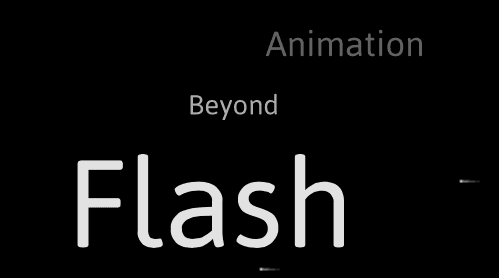
Exercise Overview
In this exercise, we will continue working on the Promo animation. We’ll use GSAP’s proprietary SlowMo ease to animate text and take time to explore all the properties of this complex easing behavior.
Previewing the Finished Animation
To take a look at the animation we’ll be building, open up Google Chrome.
Hit Cmd–O (Mac) or CTRL–O (Windows), navigate to Desktop > Class Files > yourname-GSAP Class > Promo SlowMo Done, and double–click on index.html.
Watch the animation a few times to get a sense of the text’s movement. The text has a complex set of tweens, involving opacity and position changes as well as several different types of easing.
The complexity of this behavior is largely handled by GSAP’s SloMo ease, which we’ll be learning all about in a moment.
Examining the DOM Structure
In your code editor, open yourname-GSAP Class > Promo SlowMo > index.html
NOTE: If your code editor allows you to open an entire folder (like Sublime Text does), open the entire Promo SlowMo folder.
This file is almost identical to the state of index.html at the end of the last exercise. However, notice that we have added a bit more HTML structure on lines 18–25:
<div id="demo">
   <div id="flyBy" class="panel">
      <div id="starfield"></div>
      <div class="title" id="title1">Animation</div>
      <div class="title" id="title2">Beyond</div>
      <div class="title" id="title3">Flash</div>
   </div>
</div>
Each of the pieces of text (Animation, Beyond, and Flash) resides in its own div, each with a unique ID. Separating them like this will make them easier to target as we code.
Preview index.html in a browser. The starfield animation plays in the background, and the three words have CSS styling but lack any movement and are just sitting still, left-aligned in the panel.
Creating a Function & Positioning the Text
The first thing we want to do is create and call a function for the timeline we want to create. Switch to your code editor.
Below the end of the getStarsTimeline() function, add a new function and call it (starting around line 47):
function getTitlesTimeline() {

}

getTitlesTimeline();
getStarsTimeline();
To set the word Animation so it animates in from off-stage left instead of its current position, add the following bold code to the getTitlesTimeline() function:
function getTitlesTimeline() {
   TweenLite.set("#title1", {xPercent:-100});
}

getTitlesTimeline();
Just like yPercent uses height, xPercent will take into account the width of the element. The code above basically subtracts the width of the element from its X value.
Save the file and preview the page in a browser.
In order to make sure the text is fully out of the animation area, we are going to want to see the off-stage positioning of the text. Let’s set overflow to visible while we’re working.
In your code editor, open Promo SlowMo > css > style.css
In the #demo rule, make the following change shown in bold (around line 13):
#demo {
   position:relative;
   width:500px;
   height:445px;
   background-color:,000;
   margin:auto;
   overflow:visible;
}
Save style.css and close the file.
Reload the browser and notice that the entire word Animation is entirely off-stage. So far, so good!
Return to your code editor and add the following bold tween that will move the word Animation from off-stage left to off-stage right:
function getTitlesTimeline() {
   TweenLite.set("#title1", {xPercent:-100});
   TweenLite.to("#title1", 3, {X:width});
}
Here we are using the width variable that was set in an earlier exercise (take a look at the code on line 32) to move #title1 from off-stage left to off-stage right over the course of 3 seconds.
Save the file and preview in the browser. Uh oh! The text doesn’t actually go off-stage—the right edge of the word Animation stops at the right edge of the demo. This is because xPercent is still at –100.
Return to your code editor and add the following bold code:
function getTitlesTimeline() {
   TweenLite.set("#title1", {xPercent:-100});
   TweenLite.to("#title1", 3, {X:width, xPercent:0});
}
Save the file and preview in the browser. There we go! The text now moves completely off-stage. It just needed a little extra nudge.
Intro to the SlowMo Ease
Let’s take a few minutes to learn about the different parameters associated with the SlowMo ease. We included some information from the GSAP API about SlowMo in the sidebar at the end of the exercise, but you’ll also get a good sense of what the animation does just by watching it work!
In your code editor, add the following bold code:
function getTitlesTimeline() {
   TweenLite.set("#title1", {xPercent:-100});
   TweenLite.to("#title1", 3, {X:width, xPercent:0, ease:SlowMo.ease});
}
Save the file and preview in the browser. Pretty cool! The text starts out fast, slows down to move with a Linear ease, and then speeds up again at the end.
It’s great that it has this kind of functionality right away, but we can also customize and fine-tune the behavior of the ease by passing the following two parameters into the SlowMo ease’s config() method in the following order:
- linearRatio is a parameter that determines what proportion of the SlowMo ease will be a simple Linear ease (which advances at a steady pace). This will be a number between 0 and 1. The default value is 0.7. If you set this to 0.5, for example, 50% of the animation would be a Linear ease, with the first 25% decelerating and the final 25% accelerating.
- power is a parameter that determines the strength of the ease at each end. The default value is 0.7. (If you define a value greater than 1, it will actually reverse the Linear portion in the middle, which can produce a cool effect.)
Return to your code editor and add the following bold code to the to() tween:
TweenLite.to("#title1", 3, {X:width, xPercent:0, ease:SlowMo.ease.config(0.9,0.8)});This sets linearRatio to 0.9 and power to 0.8. It’s important to remember that those two parameters are listed in that order.
By setting linearRatio to 0.9, we are specifying that the SlowMo animation has the following pacing:
- 5% easeOut
- 90% Linear
- 5% easeIn
Save the file and preview the page in a browser. This is a very different effect than before, with very speedy bursts at the beginning and end. Let’s see what the inverse would look like.
Return to your code editor and make the following change shown in bold:
TweenLite.to("#title1", 3, {X:width, xPercent:0, ease:SlowMo.ease.config(0.1, 0.8)});By amending the linearRatio to 0.1, you have now changed the pacing to:
- 45% easeOut
- 10% Linear
- 45% easeIn
Save the file and preview the page in a browser. Amazing what changing one parameter can do!
Return to your code editor and make the following change shown in bold:
TweenLite.to("#title1", 3, {X:width, xPercent:0, ease:SlowMo.ease.config(0.1, 1.2)});By setting the power parameter to a value greater than one, it will actually move backwards during the linear portion of the ease. Save the file and preview the page in a browser to check it out. Cool!
There are many different ways of configuring a SlowMo tween. Feel free to play around with different values on your own, if you feel like it.
Using TimelineLite’s StaggerTo() & StaggerFrom() Methods
Just like TweenMax and TimelineMax, TimelineLite makes it easy to add staggered animations. You can add them to your timeline sequences with its staggerFrom(), staggerTo(), and staggerFromTo() methods.
It’s good that we have an idea of how the SlowMo ease works, but we don’t want to use the experimental code we just wrote. Delete the two lines of code inside the getTitlesTimeline() function so it looks like this:
function getTitlesTimeline() {

}
Let’s create a variable that targets all the elements with a class of title that we have on the page. We also want to build a new timeline. To do so, add the following bold code:
function getTitlesTimeline() {
   var $titles = $(".title"),
      tl = new TimelineLite();
}
The first thing we need the timeline to do is instantly place all the
$titles off-stage. Do this by adding the bold code shown below:function getTitlesTimeline() { var $titles = $(".title"), tl = new TimelineLite(); tl.set($titles, {xPercent:-100}) }Save the file and preview the page in a browser. Notice how every word now has its right edge up against the left edge of the black rectangle. Perfect!
Return to your code editor.
To move each word across the screen in a staggered fashion add the following bold code:
function getTitlesTimeline() {
   var $titles = $(".title"),
       tl = new TimelineLite();

  tl.set($titles, {xPercent:-100})
    .staggerTo($titles, 3, {X:width, xPercent:0}, 0.3)
}
This code is very similar to what we did previously with a single tween, but now it will apply the same animation to all of the words. The 0.3 in the code above is the stagger parameter which dictates that each animation will start 0.3 seconds after the previous animation begins. For more info on the staggerTo() method visit the TimelineLite docs: greensock.com/docs/TimelineLite/staggerTo()
Save the file and preview the page in a browser. Cool!
Return to your code editor.
Add this bold code to the staggerTo() tween to add a cool SlowMo ease:
.staggerTo($titles, 3, {X:width, xPercent:0, ease:SlowMo.ease.config(0.1,1.2)}, 0.3)Save the file and preview in a browser. Sweet! Notice how each words moves to the right and then slowly back to the left during the linear portion of the tween? That’s because the strength parameter of 1.2 is greater than 1.
Almost there—we just need to add one more tween to our timeline! Let’s bring the animation to the next level with some scale and opacity tweens.
Return to your code editor and add the following bold code. Because this is our final tween, remember to end it with a semi-colon:
.staggerTo($titles, 3, {X:width, xPercent:0, ease:SlowMo.ease.config(0.1,1.2)}, 0.3)
.staggerFrom($titles, 3, {scale:0, opacity:0}, 0.3,0);
This tween has the same duration and stagger amount as the staggerTo() tween, but transitions from a scale and opacity of 0. It’s important to note that the final 0 in the code above is the position parameter which tells the staggerFrom() animation to start at a time of 0—perfectly in sync with the staggerTo() tween.
Save the file and preview the page in a browser. Very snazzy!
You will notice that the scale and opacity change constantly throughout the duration of the animation. Let’s also add a SlowMo ease to the changing of the scale and opacity. We will use the same timing for this SlowMo ease so it coordinates with the one applied to the motion of all the
$titles.Return to your code editor and add this bold code to the staggerFrom() tween:
.staggerFrom($titles, 3, {scale:0, opacity:0, ease:SlowMo.ease.config(0.1,1.2)}, 0.3,0);Save the file and preview the page in the browser. This animation is just getting better and better.
Notice how the scale and opacity change a little bit while the text is moving to the right, stays constant during the linear portion of the tween (while moving left) and then increase again on the way out.
SlowMo’s Third Config() Parameter: YoyoMode
The third parameter of the SlowMo ease is yoyoMode. By default, it is set to false. Let’s see what it does when set to true.
In your code editor, add the code shown in bold to the staggerFrom() method:
.staggerFrom($titles, 3, {scale:0, opacity:0, ease:SlowMo.ease.config(0.1,1.2, true)}, 0.3,0);Save the file and preview the page in a browser:
- Pay attention to the very end of the animation. By simply setting the yoyoMode parameter to true, we have made the tweens reverse themselves, yo-yoing back to their original values of zero.
- Notice that these tweens happen only during the easeIn and easeOut parts of the SlowMo ease.
Clearly, yoyoMode is an easy way to make a tween look a lot fancier!
Finishing up
The final step will be setting overflow back to hidden.
Return to your code editor and open Promo SlowMo > css > style.css
Make the following change shown in bold:
#demo {
   position:relative;
   width:500px;
   height:445px;
   background-color:,000;
   margin:auto;
   overflow:hidden;
}
Save style.css and close it.
Switch to the browser and reload index.html. Looks great, pat yourself on the back!
The GSAP SlowMo Ease
SlowMo is a configurable ease that produces a slow-motion effect that decelerates initially, then moves linearly for a certain portion of the ease (which you can choose) and then accelerates again at the end. It’s great for effects like zooming text onto the screen, smoothly moving it long enough for people to read it, and then zooming it off the screen.
Without SlowMo, animators would often try to get the same effect by sequencing three tweens, one with an easeOut, then another with a Linear.easeNone, and finally an easeIn—but the problem was that the eases didn’t smoothly transition into one another, so you’d see sudden shifts in velocity at the joints. SlowMo solves this problem and gives you complete control over how strong the eases are on each end and what portion of the movement in the middle is linear.
Read the SlowMo docs and experiment with SlowMoEase in the Ease Visualizer at greensock.com/docs/Easing/SlowMo