March 23, 2026/4 min read

Push Audiences from Google Analytics to Google Ads

Connect Analytics Data with Google Ads Remarketing

Prerequisites Required

Before following this tutorial, ensure you have admin access to both Google Analytics and Google Ads accounts with proper tracking implementation on your website.

Pushing Audience from Google Analytics to Google Ads

Linking Your Accounts for Seamless Data Flow

Audience targeting represents one of the most powerful levers in digital marketing, and leveraging your existing website visitor data for remarketing campaigns can dramatically improve your ROI. When you combine the rich behavioral insights from Google Analytics with the targeting capabilities of Google Ads, you create sophisticated remarketing campaigns that speak directly to users' demonstrated interests and behaviors.

This comprehensive guide walks you through the strategic process of creating custom audiences in Google Analytics and seamlessly transferring them to Google Ads for remarketing across search and display networks. The key lies in understanding not just the technical steps, but how to segment your audiences for maximum campaign effectiveness.

Your first critical step involves establishing a robust connection between Google Analytics and Google Ads. Without proper account linking, your valuable audience data remains siloed and unusable for remarketing purposes.

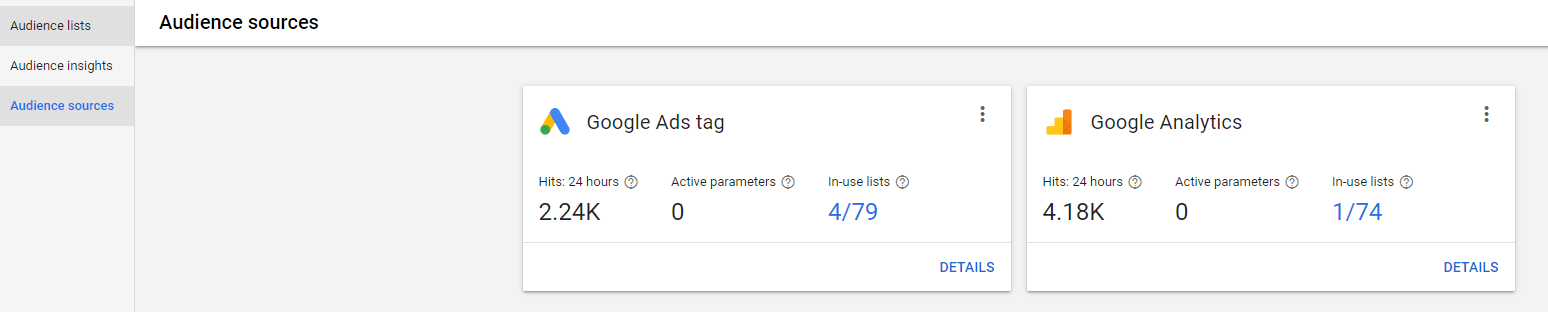
Navigate to Google Ads and access Tools & Settings from the top navigation menu. Select Audience Library, then Audience Sources—here you'll find your Google Analytics integration options. If the connection hasn't been established, you'll see a clear setup pathway to link your accounts. This bidirectional connection enables real-time audience sharing and conversion tracking across both platforms.

Audience Sources Google Ads

Building Strategic Segments in Google Analytics

With your accounts properly connected, you can now harness Google Analytics' sophisticated segmentation capabilities to create precisely targeted audience groups. The quality of your remarketing campaigns depends entirely on how thoughtfully you construct these initial segments.

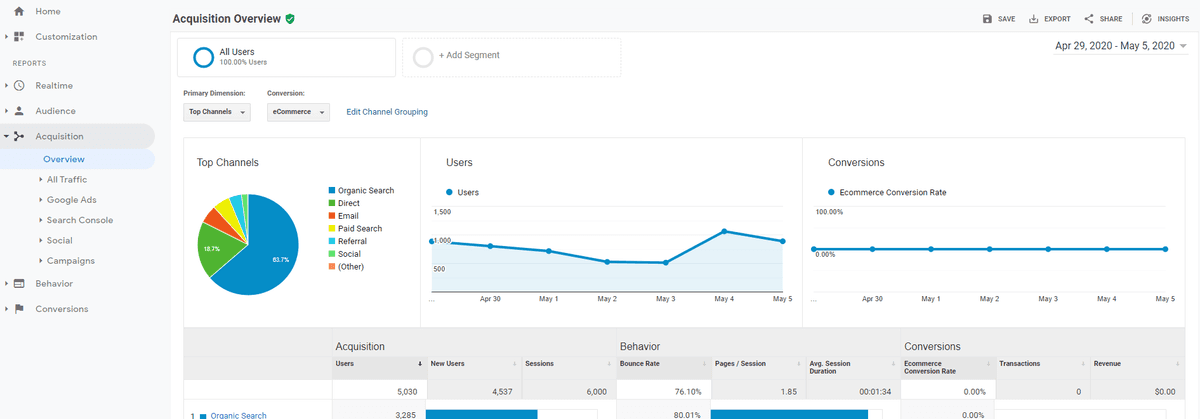
Within any Google Analytics report, locate and click "Add Segment" to begin the audience creation process. This feature allows you to define specific user behaviors, demographics, and engagement patterns that align with your marketing objectives.

Create Segment Google Analytics

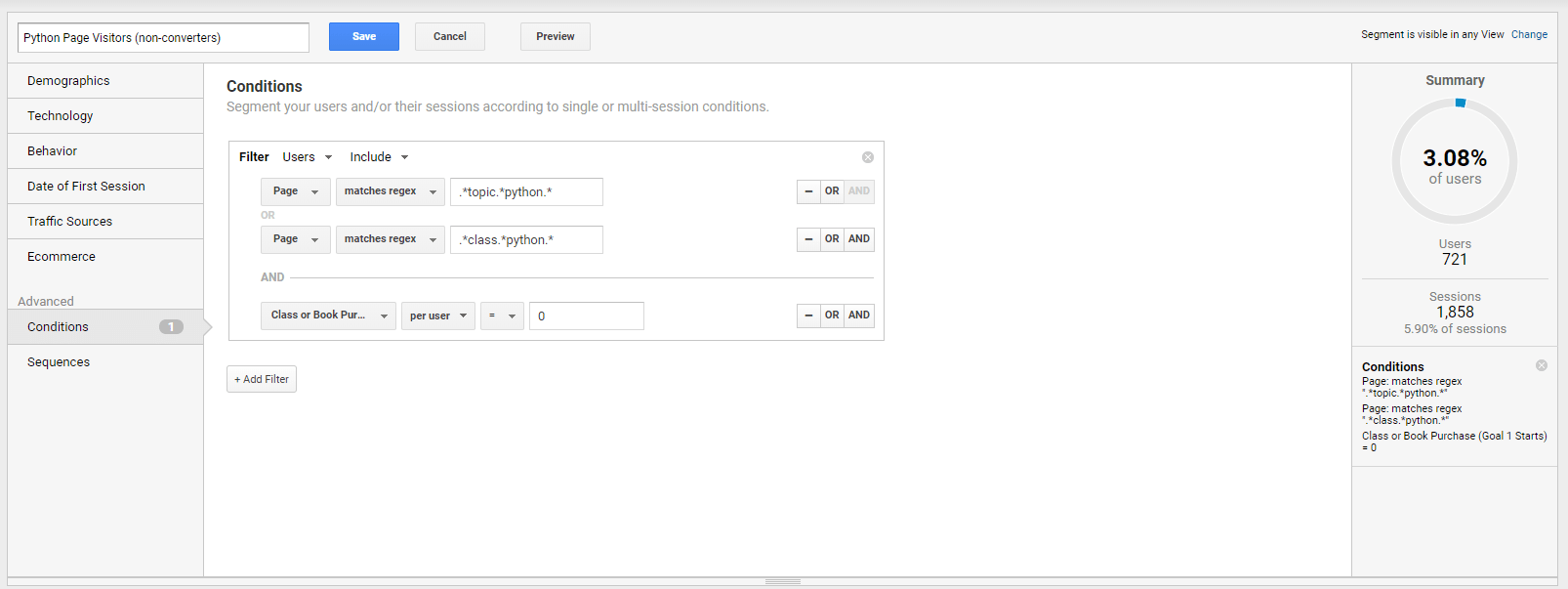
New segment Google Analytics

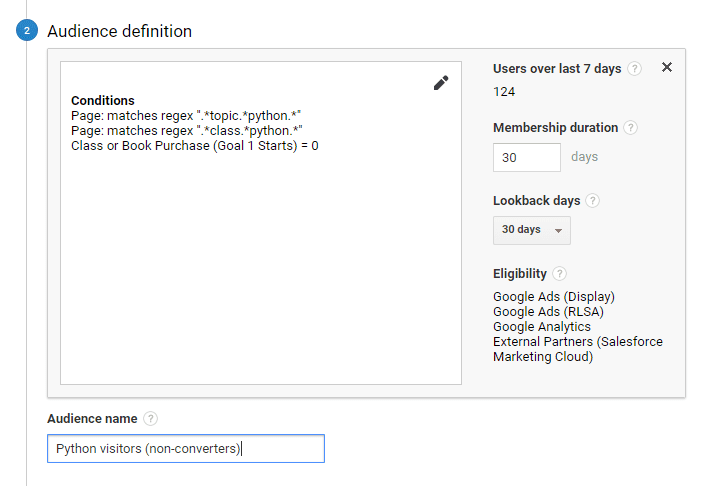
When crafting your segments, think strategically about user intent and journey stage. In this example, I'm building an audience of users who visited Python course pages using regex pattern matching—indicating clear interest in Python education. Crucially, I'm applying an exclusion filter to remove users who have already converted, ensuring my remarketing budget targets genuinely warm prospects rather than existing customers.

The preview panel on the right provides immediate feedback on segment size and historical data, allowing you to validate your logic before committing resources. This real-time validation prevents the common mistake of creating segments that are either too broad (wasting ad spend) or too narrow (limiting reach).

Google Analytics Visitor Segment

Once you're satisfied with the segment configuration and preview data, save your audience with a descriptive name that clearly indicates its purpose and targeting criteria.

Seamlessly Transferring Audiences to Google Ads

Now comes the pivotal step of making your carefully crafted Analytics segments available for remarketing campaigns. This process transforms passive website data into active marketing assets.

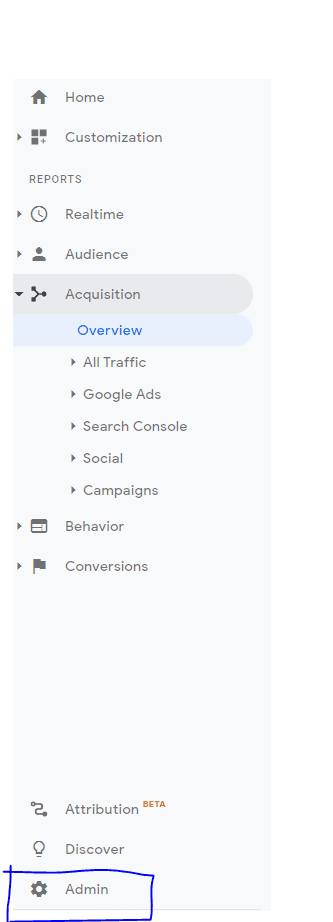
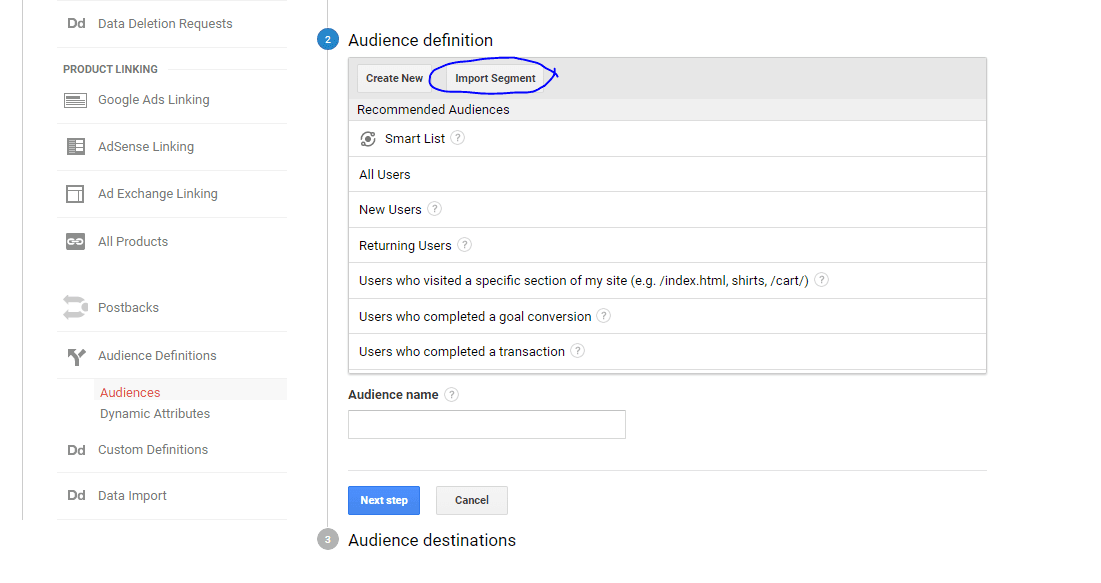
In Google Analytics, access the Admin section and navigate to Audience Definitions. This centralized hub manages all your audience exports and integrations across Google's marketing ecosystem.

AdminImport Segment Google Analytics

Python Audience Google Analytics

Select your target Google Ads account as the audience destination—particularly important for agencies or businesses managing multiple ad accounts. Click Publish to initiate the transfer. Google's systems typically process this handoff within minutes, though complex segments may take slightly longer to populate.

Verify successful transfer by returning to Google Ads and navigating to Tools > Audience Library > Audience Lists. Your newly created audience should appear here, ready for campaign integration. Note that audience size may initially show as building while Google accumulates sufficient data for targeting.

Advance Your Digital Marketing Expertise

Mastering audience targeting and remarketing strategy requires both technical proficiency and strategic thinking. These foundational skills separate successful digital marketers from those who struggle with campaign performance and budget efficiency.

Deepen your expertise through our comprehensive digital marketing education programs. Our Google Ads training covers advanced targeting strategies and campaign optimization, while our Google Analytics classes dive deep into audience analysis and behavioral insights. For professionals seeking comprehensive skills, our Digital Marketing Certificate program integrates both platforms within a broader strategic framework, preparing you for senior marketing roles in today's data-driven landscape.

Key Takeaways

1Account linking between Google Analytics and Google Ads is essential prerequisite for audience sharing and remarketing campaign execution
2Audience segments should be created with specific targeting criteria including page visits, user behavior, and conversion exclusion filters
3Regex matching enables precise audience definition for targeting users who visited specific product or service pages
4Excluding already converted users from remarketing audiences prevents wasted ad spend and focuses budget on potential customers
5Preview functionality in Google Analytics allows validation of audience size and targeting accuracy before publishing
6Publishing audiences to Google Ads requires admin access and proper destination selection in Analytics audience definitions
7Verification in Google Ads Audience Library confirms successful data transfer and audience availability for campaign use
8Professional training in both platforms provides strategic advantage for creating effective data-driven marketing campaigns

RELATED ARTICLES