Classes, Properties, & Methods
What This Tutorial Covers
Class Declaration
class keyword and inheritance syntax.
Properties
Stored and computed properties.
Methods
Instance and class-level methods on types.
Noble Desktop's Full-Stack Web Development Certificate teaches programming fundamentals that transfer across mobile, web, and desktop development.
Explore the basics of iOS development and object-oriented programming, including defining classes and custom methods, instantiating a class, and working with properties and methods in this comprehensive tutorial.
Object-Oriented Programming
Object-oriented programming is a programming paradigm (style) that represents concepts as objects that have data fields (attributes that describe the object) known as properties and associated procedures (behaviors) known as methods.
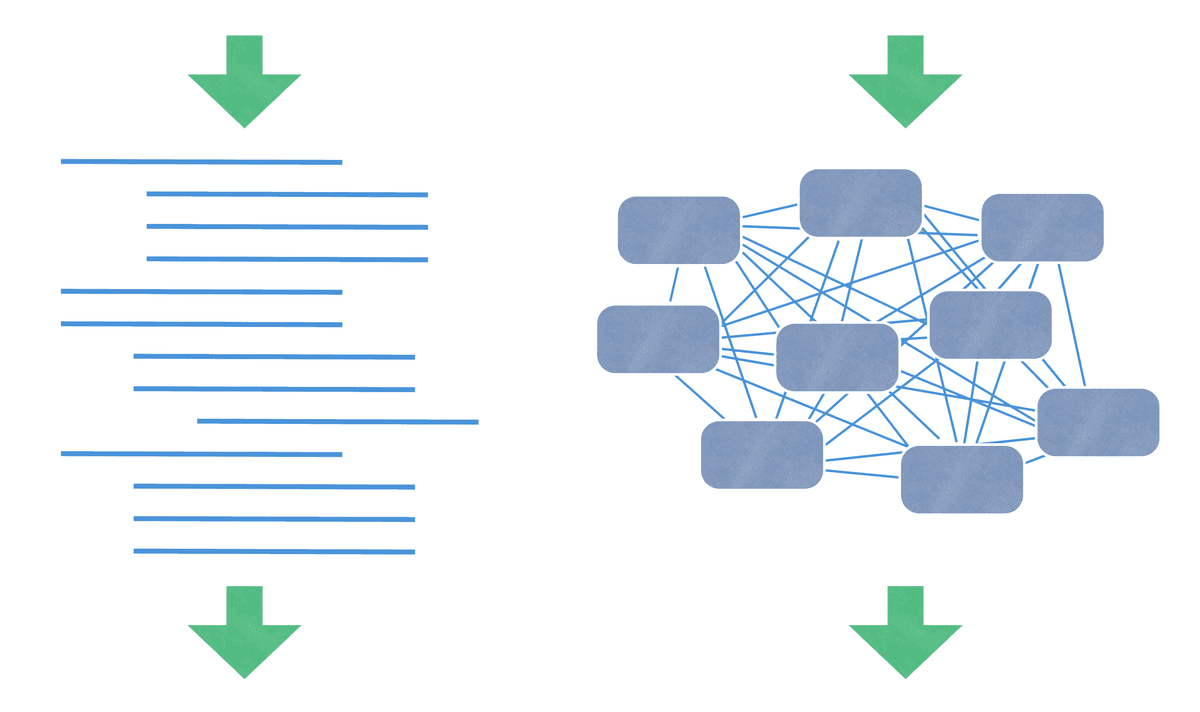
Traditional, non-object-oriented programming is generally linear and not very reusable. It is also difficult to assign meaningful connections between different parts of the code. As a result, the more code there is, the more of a maintenance nightmare it becomes. That’s why object-oriented programming was created.
Instead of executing code line-by-line, objects in Swift send messages to other objects. Because classes are like a blueprint or template for objects, they are the foundation of object-oriented programming.
Methods with Parameters
Let’s take a deeper look at methods. As mentioned briefly earlier in the exercise, methods are functions that are in a class. Recall that functions can accept parameters and return data, so methods can do these things too.
Below the stop method, add a method to the Car class that accepts a parameter for speed:
func stop() { self.speed = 0 print("Screech, halt!") } func accelerateTo(speed: Int) { self.speed = speed }At the bottom of Xcode, call the accelerateTo method as shown in bold, passing in an argument of speed: 50 where the method’s parameter asks for information:
print("The speed of the car is \(mustang.speed!) miles per hour")

mustang.accelerateTo(speed: 50)
In the class, mouse over the right side of the self.speed = speed line and click the Quick Look eye
 . In the pop-up it says {some 50}, which means that the speed was automatically set to 50.
Add a print function to the accelerateTo method:
func accelerateTo(speed: Int) {
   self.speed = speed
   print("The speed is now \(self.speed!) miles per hour")
}
Notice in the Playground results sidebar, to the right, it says: The speed is now 50 miles per hour