Google Data Studio: The Powerhouse Visualization Tool You Probably Aren’t Using
Digital Marketing Checklist
Without measurement, you can't improve.
UTM parameters on every link from every source.
The only audience you fully own and control.
Awareness → consideration → conversion stages and CTAs.
Noble Desktop's Digital Marketing Certificate covers Google Ads, SEO, content, and analytics.
Google Data Studio is a relatively new-to-the-block visualization tool from Google that connects and aggregates data from a variety of data sources so you can see it all in one place. It can be extremely useful and powerful for a variety of reasons. In this article, we’ll go through a handful of reasons why I love Google Data Studio and why you should be using it.
6 Reasons to Use Google Data Studio
Free: The tool is completely free
Simplicity: It is extremely easy to learn and use
Connectivity: Easy to connect to a variety of data sources
Templates: Good report templates available
Scheduling: Automated reports in your inbox
Sharing: Easy sharing and collaboration
Free
One simple reason to get started with Google Data Studio for your analytics and visualization needs is that it is completely free. Similar to Google Docs or Sheets, Google is offering Google Data Studio completely free to everyone. If you are looking for an analytics or visualization tool, you may be looking to use Excel, Tableau, or some other tool, but all of these come at a cost. Some are more costly than others, but Google Data Studio remains a very solid free option.
Simplicity
Another great reason to use Google Data Studio is its simplicity. Much like Tableau, it is fairly simple to learn and requires no coding knowledge to use effectively. Within minutes you can have yourself a chart or table with valuable data and insights for your marketing.
Connectivity
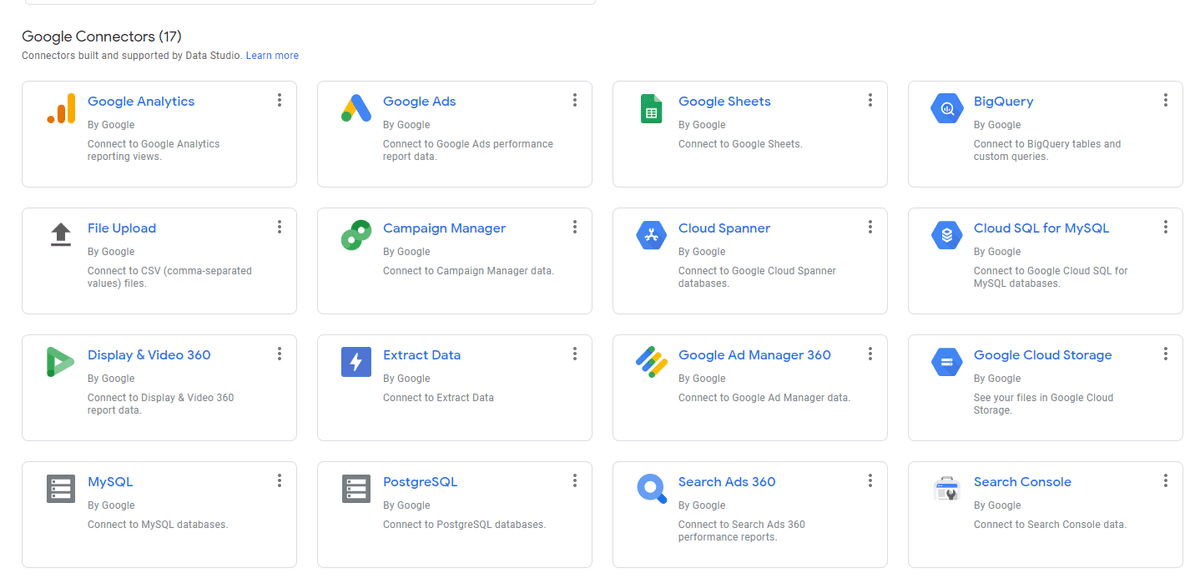
Here’s where we start to see some of the power of Google Data Studio. The connectivity of the tool alone could make it a better analytics alternative to many. With Google Data Studio you are able to easily connect to tons of data sources to retrieve your data. Obviously, all Google-related data is readily available including Google Analytics, Google Search Console, Google Ads, and more. I’ve even seen Google Data Studio featured on SEMRush so I would guess there will be lots of new connections down the line from Data Studio. You can very easily connect to your Google Analytics, Search Console, or others as shown below with a couple of clicks (no coding required).
Templates
Another huge perk of Data Studio is the availability of templates to get you up and running quickly. There are a handful of beautiful reports that you can copy over and then plug your data in. There are templates for Search Console, Analytics, Ads, and more as shown below.

Scheduling
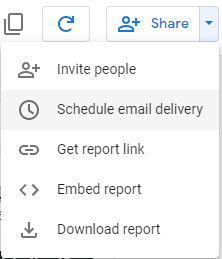
As a marketer working on lots of projects and campaigns, it can be difficult to track and manage all your data on a regular basis. This is why automated reporting is key and there are probably hundreds, if not thousands, of companies focused on delivering automated reporting. Thankfully, with Google Data Studio, not only do we get to create our awesome reports, but we can also schedule them to show up in our (or our boss’s) inbox regularly.
Sharing
Lastly, as with all the Google Drive suite, you can easily share and collaborate on Google Data Studio. You can easily share your reports with people for viewing (view-only) or collaborating (edit access) and see when others are viewing the report.
Google Data Studio is a tremendous visualization tool offered by Google that is essential for digital marketers. Check it out and start making great data visualization quickly!