Shape Morphing in After Effects
What This Tutorial Covers
Path Animation
Tween between two path shapes smoothly.
Matching Vertex Counts
Equal anchor points for clean morphs.
Easing Curves
Polish the transition with custom timing.
Noble Desktop's Video Editing & Motion Graphics Certificate teaches After Effects alongside Premiere Pro, Cinema 4D, and DaVinci Resolve.
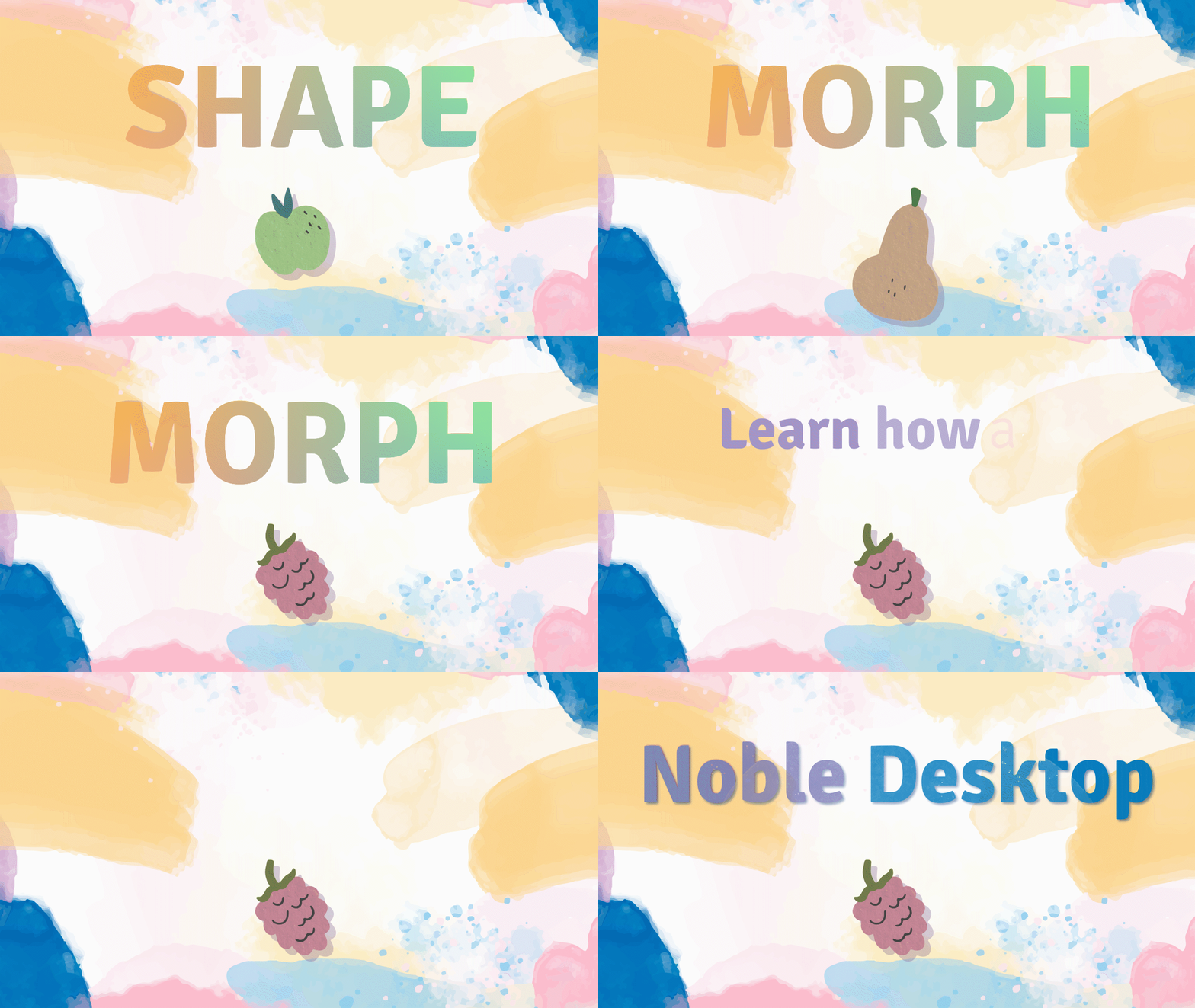
Learn how to utilize the Shape Morph technique in After Effects to transform shapes and text layers, with a step-by-step guide on how to morph fruit shapes, change color, and apply an echo effect for a polished animation.
Intro
Shape Morph is a cool technique within After Effects used to transform shapes into, well, other shapes. Circles into squares, stars into octagons, full vector illustrations into other illustrations, the list goes on.
It also works on text layers as well, as long as the layers involved are all Shape Layers. It’s not too difficult and looks great, working well with other Effects layered on top to make transitions even smoother.
It’s a great skill to have in any designer’s toolkit and can be a stepping stone to even more advanced techniques within the program.
Overview
The first thing we’ll be doing is opening up all thePaths of the raspberry shape. We’ll be going through how to copy and paste this shape onto another to transform it, then showing how to change the color accordingly too.
After that, we’ll end off with an Echo effect on another morphed shape to show how to blend the transformation even more.
This isn’t a hard technique, but it can be a bit tedious and requires keeping track of keyframes, so just a head’s up.
Fruit Morph
- Upon opening the file, there will be a few layers already in the layer stack. Double click the one named Fruits.
- Click on the layer called raspberry outlines.
- Hit U twice on the keyboard to open up all the contents of the layer.
- The next part will be a bit tedious, but it’s not hard. Find the line called Path 1, under Group 1.
- Click on thestopwatch beneath it to set a keyframe.
- Go down to Group 2, find the Path underneath it.
- Like before, click on thestopwatch next to Path to set another keyframe.
- There’s seven of these, so let’s keep going. Go down to Group 3, find that Path under it.
- Click on the Path stopwatch, set a keyframe.
- Under that is Group 4, find thatPath.
- Click on itsstopwatch, set a keyframe.
- Keep going to Group 5, locate itsPath.
- Click thestopwatch to set another keyframe.
- Almost done, let’s go to Group 6. Find the Path under it.
- Click thestopwatch.
- Finally, last one. Go to Group 7 and look for itsPath.
- Click on itsstopwatch.
- Now, let’s make the interface easier to deal with. HitU twice to open up all the keyframed layers that we just made.
- Click on the layer apple outlines.
- Hit U to open up its keyframes as well.
- Move the Playhead to 0;00;04;00.
- Click on raspberry outlines’ first Path’s keyframe.
- Hit Cmnd-C (Mac) / Cntrl-C (PC) to copy it.
- Click onapple outlines’ firstPath.
- With the Playhead still at 0;00;04;00, hit Cmnd-V (Mac) / Cntrl-V (PC) to paste the values from the other layer.
- Like before, we’ll be working our way down the layers. Since all Paths have the same name, make sure to keep track of where you paste what. Click on raspberry outlines’ second Path keyframe.
- Hit Cmnd-C (Mac) / Cntrl-C (PC) to copy it.
- Click onapple outlines’ secondPath.
- Hit Cmnd-V (Mac) / Cntrl-V (PC) to paste.
- Click on raspberry outlines’ third Path keyframe.
- Hit Cmnd-C (Mac) / Cntrl-C (PC) to, yes, copy it.
- Keep going. Click onapple outlines’ thirdPath.
- Hit Cmnd-V (Mac) / Cntrl-V (PC) to paste.
- Click on raspberry outlines’ FOURTH Path keyframe now.
- Cmnd-C (Mac) / Cntrl-C (PC) now to copy.
- Click onapple outlines’ fourthPath.
- Cmnd-V (Mac) / Cntrl-V (PC) to paste this fourth keyframe.
- Just a few more now. Click on raspberry outlines’ fifth keyframe.
- Hit Cmnd-C (Mac) / Cntrl-C (PC) to copy it like before.
- Click onapple outlines’ fifthPath. Make sure to keep track of keyframes still at this point. Hit Cmnd-V (Mac) / Cntrl-V (PC) to paste.
- Click on raspberry outlines’ sixthPath.
- Hit Cmnd-C (Mac) / Cntrl-C (PC) to copy it.
- Click onapple outlines’ sixthPath.
- Hit Cmnd-V (Mac) / Cntrl-V (PC) to paste. Almost there!
- Last one! Click on raspberry outlines’ seventhPath. Now it’s done!
- Shift-click all the new keyframes on apple outlines or drag a marquee over them to select them all.
- Right click on any selected keyframe.
- Navigate to Keyframe Assistant > Easy Ease.
Color Change
- Now let’s change the color of our shape as it morphs. If not already open, hit U on the keyboard to open up apple outlines keyframes. A Hue/Saturation effect should already be applied, and we’ll be manipulating it to change our fruit color.
- Move the Playhead to0;00;02;00.
- Hit the diamond next to Channel Range to set a keyframe.
- Move the Playhead to 0;00;02;01 or hitPgDn (PC) once to move to the next frame.
- Go up to theEffect Controls in the top left panel.
- Change theMaster Hue value to1 X 250.
- Almost done with this! Hit theVisibility icon next to raspberry outlines to hide the layer.
Echo Effect
- Go back to Main Comp by clicking on Main Comp at the top of the composition window.
- Double click on Shape Morph in the layer stack.
- Click on MORPH outlines in the layer stack.
- Go up to the top toolbar and navigate toEffects > Time > Echo.
- In the top left Effect Controls, change the Number Of Echoes to5.
- Change Decay to.8. Now it’s all done!
- Hit the Visibility icon next to raspberry outlines to hide the layer.
Conclusion
That wasn’t too bad! MorphingShapes can be a bit tedious but it’s a pretty awesome effect. It’s super useful for all kinds of things, and definitely adds a bit of slick polish to an animation when coupled with an Echo effect. Sometimes designers will need to add some other effects and Animators to layers to get the look down pat, but this tutorial will give any aspiring creator the tools to start morphing shapes on their own.
Happy animating!
Credits
Background vector created by mons.design—www.freepik.com
Food vector created by freepik—www.freepik.com
Background photo created by kues1—www.freepik.com
Abstract background vector created by rawpixel.com—www.freepik.com
Font: https://www.fontfabric.com/fonts/signika/