Quickly Write a Nested Table in Sublime Text
Emmet Table Abbreviations
table>tr*3>td*4
Tab expands to a 3-row, 4-column table.
Nested Structure
Use > to nest, * to repeat — reads like CSS selectors.
Add thead/tbody
table>thead>tr>th*3^tbody>tr*4>td*3 — header plus body rows.
Auto-Numbered Items
Use $ as a placeholder — td.col-$*4 generates col-1 through col-4.
Noble Desktop's Full-Stack Web Development Certificate covers HTML, CSS, JavaScript, and the modern web stack.
Sublime Text with Emmet allows you to code faster by typing an abbreviation and then expanding the abbreviation with the Tab key.
If you build HTML emails, you know that using nested tables is a necessary evil. But if you have to do it, you might as well do it quickly. In Sublime Text, type table+ and hit Tab. Emmet expands table+ to
<table>
<tr>
<td></td>
</tr>
</table>
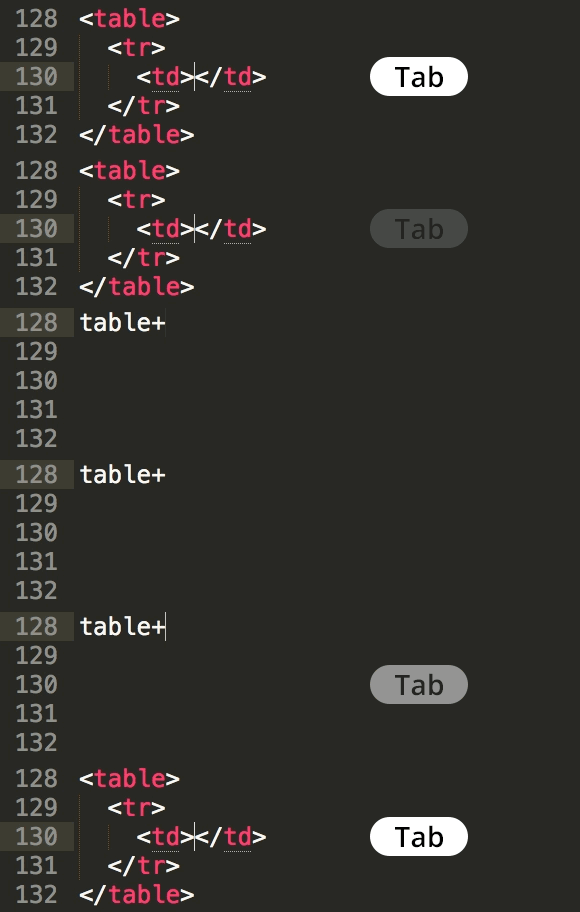
Note: This keystroke requires Emmet to be installed in Sublime Text. For instructions on how to install Emmet, download our Sublime Text Enhancements Installation Guide.