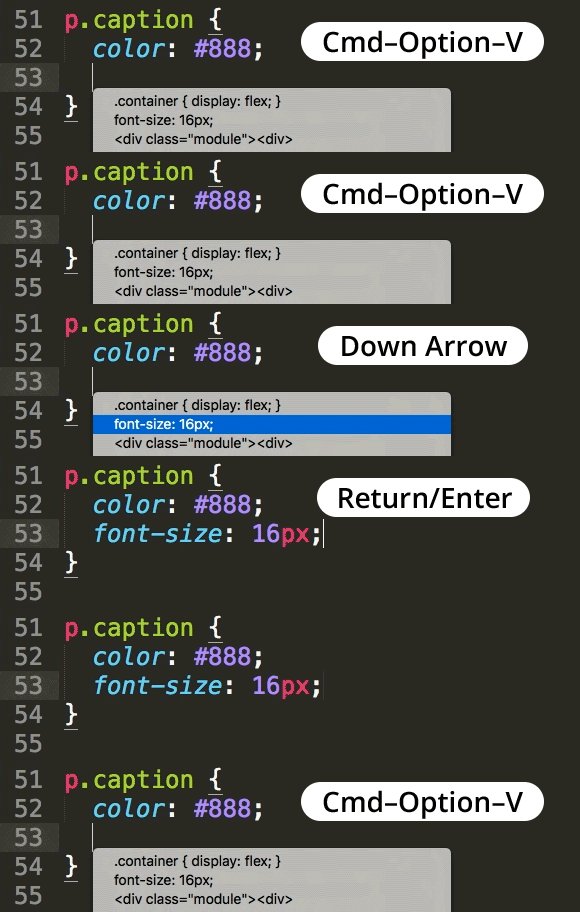
Paste From Recent History in Sublime Text
Paste from History
Mac
Cmd-K, Cmd-V — opens recent paste history.
Windows / Linux
Ctrl-K, Ctrl-V — same access to clipboard history.
Cycle Through Recent Pastes
Pick from the last several copies — not just the most recent.
Saves Re-Copying
Skip jumping back to grab earlier content you already had on the clipboard.
Master Web Development at Noble Desktop
Noble Desktop's Full-Stack Web Development Certificate covers HTML, CSS, JavaScript, and the modern web stack.
Sublime Text remembers the last 15 items you’ve copied and you can paste any one of them!
Hit Cmd–Option–V (Mac) or Ctrl–K then Ctrl–V in quick succession (Windows) to access the list of copied items. Use the arrow keys to select an item and hit Return/Enter to paste.