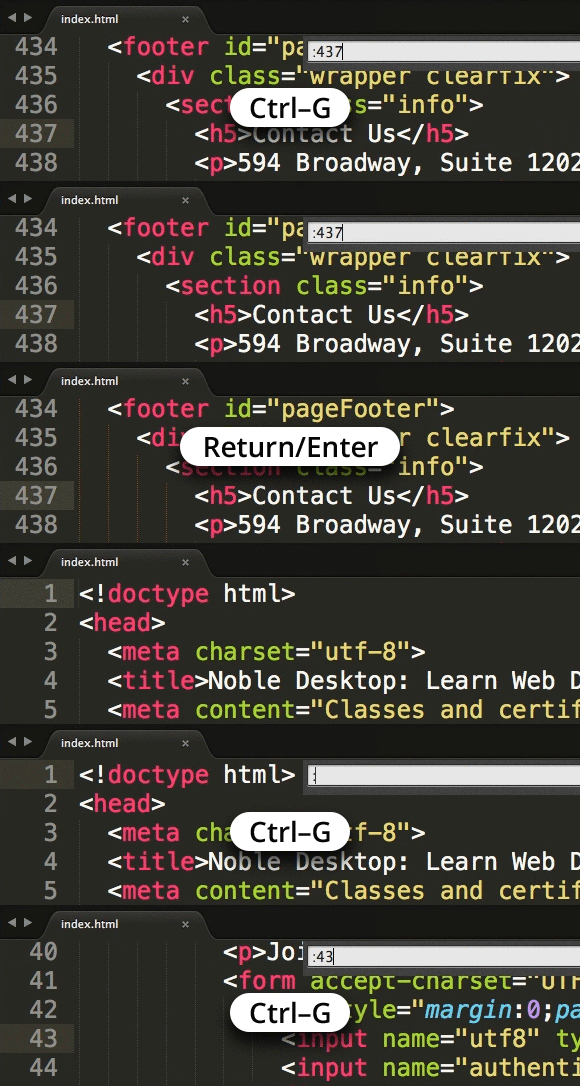
Go To Line in Sublime Text
Master Sublime Text Navigation and Productivity Techniques
Go to Line functionality is one of the most fundamental navigation features in any text editor, allowing developers to quickly jump to specific locations in large codebases without manual scrolling.
Sublime Text Core Features
Advanced Navigation
Jump instantly to any line number, file, or function. Essential for debugging and code review workflows.
Emmet Integration
Accelerate HTML and CSS writing with powerful abbreviations and snippets. Reduce coding time significantly.
Sass Preprocessing
Built-in support for advanced CSS preprocessing. Streamline stylesheet development and maintenance.
Key Takeaways
RELATED ARTICLES
Quickly Write Nested Tags in Sublime Text
Use > (greater-than symbol) to quickly write nested tags. For example, if you type article>h1and hit Tab, Emmet expands article>h1 to <article>...
Quickly Delete a Word in Any Text Editor
Hit Option–Delete (Mac) or Ctrl–Backspace (Windows) to delete the word to the left of the cursor. This is an operating system feature so it should work in any...
Proper Character Encoding with Unicode
To ensure special characters display properly on your website, do one of the following: Add <meta charset="UTF-8"> into the <head> of every HTML page....