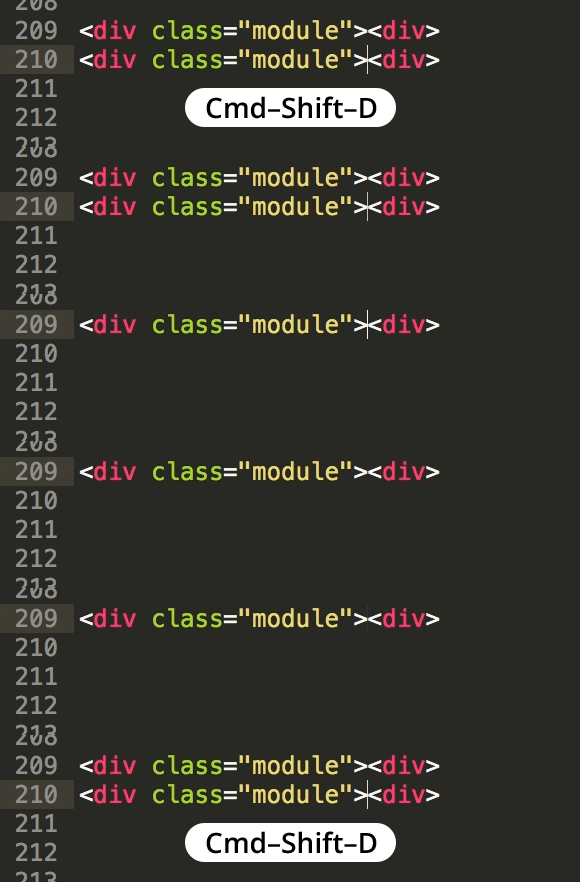
Duplicate Lines in Sublime Text
Master Text Editing Efficiency with Sublime Text
Mastering duplicate line functionality is a fundamental skill that significantly speeds up coding workflows and reduces repetitive typing tasks.
Key Sublime Text Features
Line Duplication
Quickly duplicate lines of code without copy-paste operations. Essential for repetitive coding patterns and template creation.
Multi-Selection
Edit multiple lines simultaneously. Combine with duplication for powerful batch editing capabilities across your codebase.
Command Palette
Access all Sublime Text functions through keyboard shortcuts. Streamlines workflow and reduces reliance on mouse navigation.
Key Takeaways
RELATED ARTICLES
Quickly Write Nested Tags in Sublime Text
Use > (greater-than symbol) to quickly write nested tags. For example, if you type article>h1and hit Tab, Emmet expands article>h1 to <article>...
Quickly Delete a Word in Any Text Editor
Hit Option–Delete (Mac) or Ctrl–Backspace (Windows) to delete the word to the left of the cursor. This is an operating system feature so it should work in any...
Proper Character Encoding with Unicode
To ensure special characters display properly on your website, do one of the following: Add <meta charset="UTF-8"> into the <head> of every HTML page....