March 22, 2026 (Updated April 1, 2026)David Karlins/10 min read

Creating Your Design Portfolio Website

Build a Professional Portfolio That Showcases Your Best Work

Portfolio Readiness Checklist

0/3

Before launching your portfolio, ensure you have these essential components:

  • At least three high-quality projects that showcase your range and expertise.
  • Compelling narratives that document your creative process and decision-making.
  • Professional content for an "About Me" page that tells your story authentically.

If any of these elements are missing or underdeveloped, take time to strengthen your foundation before moving forward. A rushed portfolio undermines even exceptional work. Once your content is solid, it's time to establish your online presence strategically.

Create within your skill set

2

The portfolio launch phase is not the time to experiment with unfamiliar technologies or stretch beyond your current capabilities. This principle can make or break your timeline and final result.

If you're primarily a print designer, resist the urge to suddenly master HTML, CSS, JavaScript, or complex web frameworks just to create a custom portfolio site. The learning curve will consume weeks or months better spent refining your actual work. More importantly, the technical struggle often produces subpar results that detract from your professional image. Adobe Portfolio and similar platforms exist precisely to solve this challenge for creative professionals.

Conversely, if you're an experienced web designer or developer, leverage your existing toolkit confidently. Numerous high-quality HTML templates and frameworks can serve as starting points, allowing you to customize without reinventing fundamental structures. Your time investment should focus on showcasing your work effectively, not proving technical prowess through your portfolio infrastructure.

Don't overshadow your projects

Your portfolio's design should amplify your work, not compete with it. This balance requires restraint—a challenging concept for many designers eager to demonstrate their full capabilities.

Avoid creating elaborate user experiences, complex navigation systems, or attention-grabbing visual effects that bury your actual projects. Remember that potential clients and employers visit your portfolio to evaluate your work, not to be impressed by your website's bells and whistles. Every design decision should ask: does this help viewers focus on my projects?

If you possess the web design skills to build custom portfolio templates, apply design principles that recede into the background: neutral color palettes, clean typography that doesn't demand attention, and responsive layouts that perform flawlessly across devices. Your portfolio interface should feel invisible—professional, functional, and entirely focused on presenting your work in its best light.

Avoid the Elaborate UX Trap

Don't design such an elaborate user experience that your actual work gets buried. Use neutral colors, unobtrusive fonts, and responsive page structures.

Do "touch up" projects as necessary

Polish your existing work rather than creating new projects during the portfolio launch phase. This approach prevents scope creep and ensures you're showcasing truly refined pieces rather than rushing new concepts to completion.

Follow this proven workflow for sustainable portfolio development:

  1. Continuously create and refine projects through coursework, client assignments, and personal initiatives, treating each as a potential portfolio piece.
  2. Launch your portfolio only when you have at least three projects that both you and trusted mentors consider publication-ready.
  3. Establish a regular review cycle to rotate in stronger work and phase out pieces that no longer represent your best capabilities.

Before launching, conduct a thorough quality review of your selected projects. This final audit can prevent embarrassing oversights that undermine your professional credibility.

  • Proofread meticulously—check spelling of names, brands, technical terms, and body copy. Design software spell-checkers are notoriously unreliable, making manual review essential.
  • Remove digital artifacts, unused elements, and any "construction debris" left from your creative process.
  • Consider minor refinements to enhance polish, but resist the temptation for major revisions that can derail your timeline.

This process underscores why maintaining organized project files in cloud storage (Google Drive, Dropbox, or professional alternatives) is crucial. You need immediate access to original files for updates, format changes, and ongoing refinements as your portfolio evolves.

Project Preparation Workflow

1

Create Strong Projects

Focus on class assignments and outside projects to build quality work

2

Launch with Best Work

Start with at least three instructor-approved projects

3

Rotate and Improve

Replace weaker projects as you create better work

4

Final Polish

Check spelling, remove artifacts, and make final tweaks

Two fundamental approaches

With your content prepared and polished, you face a strategic decision that will shape your portfolio's functionality, maintenance requirements, and professional presentation. The choice essentially comes down to building a custom website or using a specialized portfolio platform like Adobe Portfolio.

This decision should align with both your technical capabilities and the nature of your work. Neither approach is inherently superior—the right choice depends on your specific circumstances and professional goals.

Choose a custom website if…

3
  • Your portfolio centers on web design, app prototyping, front-end development, custom WordPress themes, or interactive web animations that require native browser functionality to demonstrate properly.
  • You possess solid web development skills and can create professional-grade, responsive sites. Seek objective feedback from instructors or senior colleagues to validate this assessment honestly.
  • You're comfortable managing technical infrastructure including domain registration, hosting configuration, SSL certificates, and ongoing maintenance requirements.

Choose a platform like Adobe Portfolio if…

4
  • Website hosting and maintenance feel overwhelming or outside your expertise—there's no shame in focusing your energy on creative work rather than technical infrastructure.
  • Your strongest projects span graphic design, motion graphics, print work, photography, or illustration that translates well to standard web presentation formats.
  • Your work doesn't require custom coding, complex interactions, or specialized web technologies to showcase effectively.

Common scenarios and solutions:

Professional portfolios often involve complex media requirements or existing digital presences. Here are proven solutions for frequent challenges:

What if you need to showcase motion graphics but lack web development skills?

> Adobe Portfolio and similar platforms support video embedding and motion graphics presentation without requiring technical expertise.

What if your work includes high-resolution video, audio, or large image files that strain hosting platforms?

> Leverage specialized hosting services: Vimeo or YouTube for video content, SoundCloud for audio projects, and cloud storage services for downloadable assets. This approach also improves site performance.

What if you already maintain a website for other purposes?

> Create a dedicated portfolio section with a clean URL structure like www.yoursite.com/portfolio, ensuring this section maintains professional presentation standards separate from personal content.

Hosting your portfolio on a website

Custom website hosting offers maximum control and customization potential, but requires careful platform selection based on your technical comfort level and long-term maintenance capacity.

  1. Build completely from scratch using HTML, CSS, and JavaScript.
  2. Customize a WordPress theme or other content management system.
  3. Use drag-and-drop builders like Wix or Squarespace.

Let's address the drag-and-drop option directly: while these platforms have improved significantly, they still present professional limitations worth considering. Most produce sites that feel template-driven rather than bespoke, and industry professionals often recognize these platforms immediately. For creative professionals, this can undermine perceptions of technical sophistication and attention to detail. Additionally, these platforms typically offer limited customization options for presenting creative work optimally.

If you possess strong web development skills, building from scratch provides ultimate flexibility. However, consider whether this time investment serves your career goals better than focusing on portfolio content development. Even skilled developers often benefit from starting with solid templates or frameworks rather than building foundational elements repeatedly.

Drag-and-Drop Builders (Wix, etc.)

Pros
Easy to use
No coding required
Quick setup
Cons
Limited professional appearance
Easily recognizable templates
Insufficient customization tools
May appear unprofessional to clients

Leveraging WordPress themes effectively

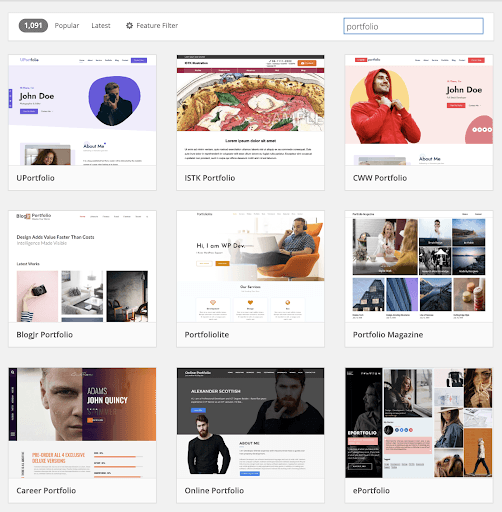
WordPress remains a robust middle-ground solution, offering professional results without requiring extensive development time. The platform's maturity means thousands of portfolio-specific themes are available, many designed specifically for creative professionals.

5

The key to successful WordPress portfolio implementation lies in restraint and focus. Your content should drive the experience, with the theme providing clean, professional presentation. A well-chosen theme with minor customizations often outperforms heavily modified templates that lose coherence through excessive tweaking.

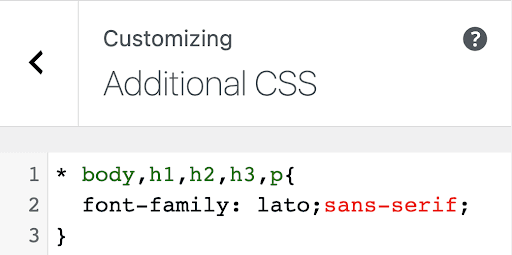
Focus your customization efforts on brand elements that reinforce your professional identity. Modify the header, incorporate your logo if available, and adjust typography and color schemes to reflect your aesthetic sensibility. The WordPress Customizer and theme options provide substantial flexibility without requiring coding expertise.

For typography, Google Fonts offers professional options that load quickly and display consistently across devices. Choose fonts that complement your work rather than competing for attention—readability and professional appearance should guide your selection.

6

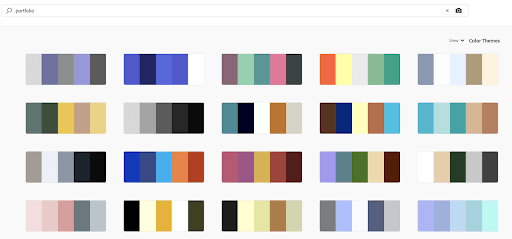
Color scheme development benefits from systematic approaches rather than intuitive guesswork. Adobe Color provides extensive palette libraries, including collections specifically tagged for portfolio use.

7

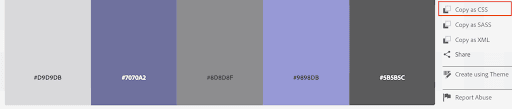
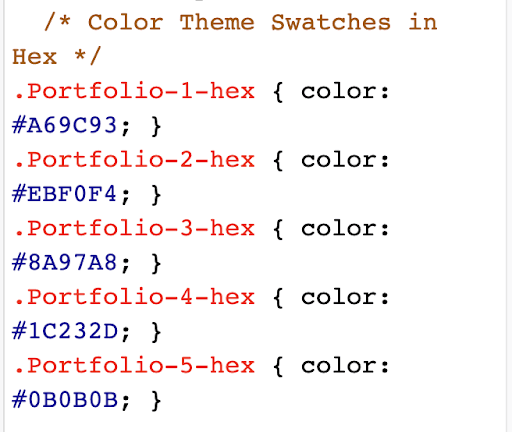
The platform allows you to extract color codes easily, which you can implement through WordPress's custom CSS functionality. This workflow ensures color harmony while maintaining professional consistency.

8

Store your color codes as CSS comments within WordPress for future reference and consistency across site updates.

9

Through these systematic customizations, you can create a WordPress portfolio that reflects your professional brand while maintaining the reliability and functionality of proven themes.

Hosting your portfolio at Adobe Portfolio

Adobe Portfolio has evolved into a sophisticated platform that addresses most creative professionals' portfolio needs without requiring technical expertise. For many designers, it represents the optimal balance of functionality, professional presentation, and ease of use.

The platform offers several compelling advantages for creative professionals:

  • Intuitive setup process that focuses on content rather than technical configuration.
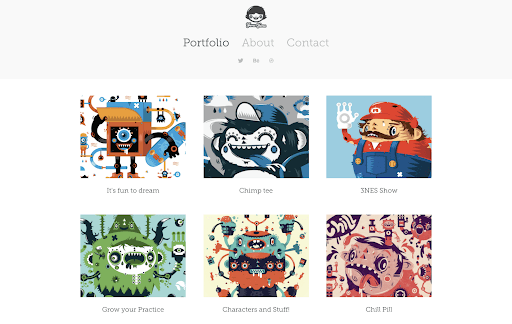
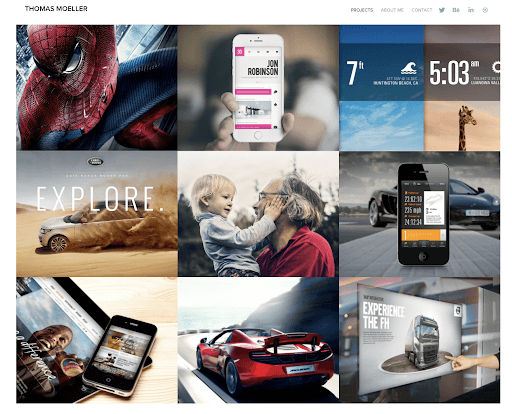
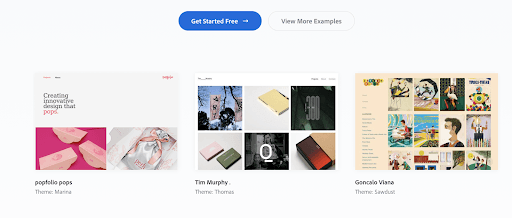
  • Inspiration gallery featuring work from established professionals using the platform.
  • Comprehensive tutorial library and community resources for ongoing learning.
10

Adobe Portfolio's feature set addresses professional portfolio requirements comprehensively:

  • Visual design interface requiring no coding knowledge or technical expertise.
  • Included hosting without additional fees beyond your Creative Cloud subscription.
  • Industry-specific templates optimized for art, illustration, photography, graphic design, fashion, architecture, motion graphics, and web design presentation.
  • Responsive layouts that adapt automatically to desktop, tablet, and mobile viewing.
  • Custom domain support for professional branding (additional fee applies).
  • Integration with the broader Adobe ecosystem, including automatic Behance synchronization.

An active Creative Cloud subscription is required to maintain Adobe Portfolio access—this requirement actually reinforces your professional credibility, signaling current industry tool proficiency to potential clients and employers.

The platform's learning curve is deliberately minimal, with guided setup processes and extensive documentation. Adobe provides comprehensive tutorials that walk through every aspect of portfolio creation and management.

Adobe Portfolio Key Features

Code-Free Design

Intuitive setup with no coding required. Customizable layouts for art, photography, graphic design, and more.

Professional Hosting

Responsive layouts that work on any device. Website hosting included with no extra fees required.

Creative Cloud Integration

Demonstrates your Adobe Creative Cloud subscription and syncs well with Behance network.

Alternative platforms worth considering

11

While WordPress and Adobe Portfolio address most portfolio needs, the creative industry includes numerous specialized platforms designed for specific disciplines or presentation styles. Understanding these alternatives can help you make more informed platform decisions.

Behance functions as both a portfolio platform and professional network, offering substantial visibility within the creative community. Its integration with Adobe Portfolio allows you to maintain presence on both platforms simultaneously, maximizing your professional reach.

Several platforms cater to specific needs or offer unique value propositions worth considering:

  • Dribbble - Emphasizes visual work presentation and creative community engagement
  • Crevado Portfolios - Free hosting with professional presentation options
  • Portfoliopen - No-cost alternative with basic customization features
  • Coroflot Portfolios - Integrated with job search functionality for active career development
  • FolioHD - Specialized for photography and modeling portfolios requiring high-resolution image presentation

For professionals seeking unconventional approaches, AIGA Eye on Design explores creative alternatives that challenge traditional portfolio presentation:

  • Google Docs for process-focused, collaborative presentation
  • Google Slides for presentation-style work documentation
  • PDF portfolios for comprehensive, downloadable presentations
  • Are.na for research-based and conceptual work organization

These alternatives work best as supplements to rather than replacements for professional portfolio platforms, offering additional ways to share work in specific contexts or with particular audiences.

Four essential principles

Regardless of which platform you choose, these fundamental principles will determine your portfolio's professional impact and career effectiveness:

  1. Align platform complexity with your technical capabilities—overreaching leads to frustrated timelines and suboptimal results.
  2. Customize typography and color schemes to reflect your professional brand while maintaining readability and focus on your work.
  3. Prioritize content presentation over design complexity—your portfolio should showcase your projects, not your web design skills (unless web design is your specialty).
  4. Choose WordPress for maximum customization flexibility, Adobe Portfolio for streamlined professional presentation, or specialized platforms for discipline-specific needs.

Key Takeaways

1Prepare at least three quality projects with process documentation before building your portfolio website
2Choose between custom websites and portfolio services based on your technical skills and project types
3Web designers should consider custom sites; graphic designers often benefit from Adobe Portfolio
4Avoid over-designing your portfolio interface in ways that distract from your actual work
5WordPress themes offer a middle ground between custom coding and hosted services for those with moderate web skills
6Adobe Portfolio provides professional, code-free hosting with Creative Cloud integration
7Always spell-check and remove artifacts from projects before publishing your portfolio
8Consider external hosting for large media files to optimize portfolio performance across all platforms

RELATED ARTICLES