March 22, 2026Dan Rodney/7 min read

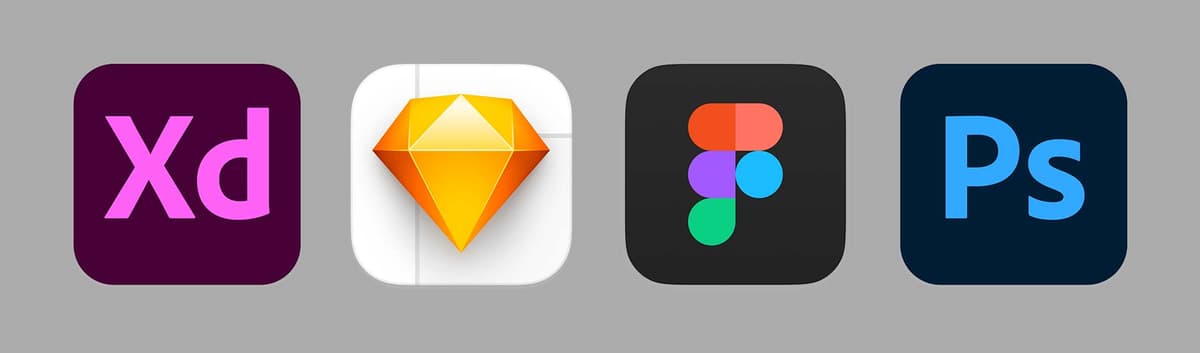
Adobe XD, Sketch, Figma, & Photoshop for Web, UI, & UX Design

Master the Right Design Tools for Success

Design Tool Categories

Cloud-Based

Web applications accessible anywhere with real-time collaboration features. Perfect for remote teams but require internet connectivity.

Native Desktop

Platform-specific applications offering full offline functionality and direct system integration with enhanced performance.

Hybrid Solutions

Traditional desktop apps with modern cloud sharing capabilities, balancing local control with collaboration needs.

Figma

Figma has emerged as a powerhouse in the design world, offering capabilities that rival and often exceed Adobe XD. Its defining characteristic—being a web-first application—fundamentally changes how designers work. Unlike traditional desktop software, Figma runs entirely in your browser, making it accessible from any device with an internet connection. This web-native approach initially attracted Windows users who were shut out of the Mac-exclusive Sketch ecosystem, but its appeal now extends far beyond platform limitations. While Figma does offer a desktop application, it's essentially a browser wrapper that provides the same web-based experience with slightly better performance and offline file access.

This cloud-first architecture represents both Figma's greatest strength and its most significant limitation. On the positive side, collaboration is seamless and intuitive—imagine Google Docs reimagined for design work. Every Figma file exists as a living document in the cloud, enabling real-time collaboration where team members can watch each other design, leave contextual comments, and iterate together regardless of their physical location. This has proven invaluable in our increasingly distributed work environment, where remote and hybrid teams are the norm rather than the exception. Adobe XD has since added similar collaborative features, but Figma's implementation remains more mature and reliable.

However, this cloud dependency creates genuine challenges for certain organizations and workflows. While you can save local copies of Figma files, editing them requires re-uploading to Figma's servers, making true offline work impossible and complicating backup strategies. For companies in highly regulated industries—pharmaceuticals, financial services, government contracting, and legal firms—storing intellectual property on third-party servers may violate compliance requirements or security policies. Similarly, organizations with strict IT governance may block cloud-based design tools entirely, making Figma unusable regardless of its technical merits.

The automatic update system presents another double-edged scenario. While IT administrators appreciate not managing software deployments, the lack of update control can create professional headaches. Imagine discovering interface changes or new bugs right before a critical client presentation, with no way to roll back to a stable version. Additionally, Figma becomes completely unusable without an internet connection—a limitation that affects travelers, remote workers with unreliable connectivity, and anyone who needs to work during internet outages.

Figma offers a generous free tier allowing up to 3 projects with 2 editors, making it easy to evaluate without financial commitment. However, professional use requires paid plans starting at $12 per month (USD) with annual billing or $15 monthly, making it the most expensive option among dedicated design tools. Enterprise plans reach $45 per month, though they include advanced features like centralized billing, enhanced security controls, and priority support that justify the premium for larger organizations.

Learn Figma in our Figma Bootcamp, which is included in the UX & UI Design Certificate.

Figma Analysis

Pros
Web-based accessibility from any device
Real-time collaboration like Google Docs
Cross-platform compatibility
Automatic updates without user intervention
Free tier with 3 projects and 2 editors
Cons
Requires internet connection to function
Limited local file control and backup options
Most expensive option at $12-15/month
Potential security concerns for regulated industries
No control over update timing
Enterprise Considerations

Figma's cloud-only model may be unsuitable for pharmaceutical, financial, and legal companies that require complete control over file storage and cannot use external servers for sensitive data.

Sketch

Despite newer tools gaining market share, Sketch remains a formidable choice for Mac-based design teams, having refined its approach since launching in 2010. While some designers have migrated to web-based alternatives, Sketch's desktop-native architecture and deep macOS integration continue to attract professionals who value stability and performance over universal accessibility. The Mac-only limitation, once a significant barrier, now affects fewer design teams as the creative industry has largely standardized on Apple hardware.

Sketch excels particularly in UX/UI design workflows, offering a streamlined path from initial wireframes to pixel-perfect visual designs and functional prototypes. Its built-in prototyping capabilities, while not as comprehensive as Adobe XD's, handle most common interaction patterns effectively. For more complex prototyping needs, the integration with InVision's Craft plugin provides advanced functionality, though this adds complexity and cost to your toolchain. Many teams find this hybrid approach worthwhile when they need sophisticated animations or complex user flows that exceed Sketch's native capabilities.

Where Sketch truly distinguishes itself is in design system creation and management. Its symbols and styles functionality ranks among the most powerful and flexible in the industry, enabling design teams to build and maintain sophisticated component libraries that scale across large projects and multiple team members. This systematic approach to design consistency has made Sketch particularly popular with enterprise design teams and agencies managing multiple client brands. The export functionality, while solid for most use cases, doesn't match Photoshop's optimization capabilities for graphics that need minimal file sizes.

Sketch's pricing model offers excellent value with a $99 (USD) license that includes one year of updates plus Sketch Cloud access for prototype sharing and developer handoff. After the first year, you can continue using your current version indefinitely without additional payments—a significant advantage over subscription-only tools. Annual renewals cost $79 and provide continued updates plus cloud services, but they're optional rather than mandatory for continued use.

For Mac-based design teams prioritizing affordability, performance, and design system capabilities, Sketch remains an excellent choice that delivers professional results without ongoing subscription costs.

Learn more in our Sketch Bootcamp or another one of our Sketch classes.

Sketch Evolution

2010

Launch

Sketch introduced as Mac-only design application

2010s

UX/UI Focus

Became popular for wireframes and visual designs

Recent

Prototyping Added

Built-in prototyping tools introduced alongside InVision integration

Sketch Pricing Breakdown

$99
Initial license cost with year of updates
$79
Annual renewal for updates and Sketch Cloud
30 days
Free trial period

Adobe Photoshop

Photoshop's inclusion in a UI/UX design tool comparison might seem outdated, but this industry stalwart continues to serve essential functions in modern design workflows. While dedicated design tools like Figma and Adobe XD handle interface design more elegantly, Photoshop remains unmatched for photo retouching, complex image manipulation, and graphics optimization—capabilities that complement rather than compete with purpose-built design applications.

The application's three-decade evolution has gradually incorporated web and UI design features including artboards, paragraph and character styles, and improved export options for digital formats. Many seasoned designers continue using Photoshop for design work simply because of their deep familiarity with its interface and capabilities. However, this familiarity comes with trade-offs: Photoshop's photo-editing heritage means its design workflow feels cumbersome compared to tools purpose-built for interface creation.

Photoshop's fundamental architecture, optimized for pixel-level image manipulation rather than vector-based interface design, creates inherent limitations. It lacks modern design essentials like reusable symbols for component libraries or native prototyping capabilities. While third-party services like InVision can transform Photoshop mockups into clickable prototypes, this fragmented workflow pales compared to the integrated experiences offered by contemporary design platforms.

However, Photoshop maintains clear advantages in specific areas. Its export engine remains the gold standard for optimizing raster graphics, providing granular control over compression, quality, and file size that other design tools simply cannot match. For projects requiring heavily optimized images—whether for performance-critical web applications or bandwidth-constrained mobile experiences—Photoshop's optimization capabilities are indispensable.

Additionally, Photoshop offers robust tools for creating animated GIFs, a capability absent from most modern design tools. While plugins and workarounds exist for other applications, Photoshop's native animation timeline provides the most straightforward path for creating optimized animated graphics.

Adobe offers Photoshop as a standalone subscription for $9.99 per month (USD) or bundled with the complete Creative Cloud suite for $52.99 monthly—pricing that reflects its position as part of a comprehensive creative ecosystem rather than a specialized design tool.

Learn how to improve your photos and graphics in our Photoshop classes, create animated GIFs, or how to use Photoshop for Web Design & UI Design.

Photoshop vs Dedicated UI Tools

FeaturePhotoshopUI-Focused Apps
Primary PurposePhoto editing with UI featuresUI/UX design focused
File Size OptimizationExcellent compressionLimited optimization
Symbols/ComponentsNot availableBuilt-in support
PrototypingRequires external toolsNative integration
Animated GIFsIntegrated toolsPlugins or workarounds
Recommended: Use Photoshop for photo editing and graphic optimization, dedicated UI tools for interface design

Adobe Photoshop Pricing Options

Photoshop Only
9.99
Full Creative Cloud
52.99

Which One Will You Learn or Use?

Choosing the right design tool depends on your specific needs, team structure, and organizational constraints. Consider Figma if collaboration and cross-platform accessibility are priorities, and your organization can work with cloud-based tools. Choose Sketch for Mac-based teams who value design system capabilities and prefer ownership over subscription models. Adobe XD offers the middle ground with strong prototyping features and Adobe ecosystem integration. Photoshop remains essential for image optimization and complex photo manipulation, regardless of your primary design tool.

We teach Adobe XD, Figma, Sketch, and Photoshop in hands-on classes that you can attend live online, or in person in New York City. We look forward to seeing you in class!

Tool Selection Criteria

0/5

Quick Tool Comparison

FeatureFeatureFigmaSketchPhotoshop
PlatformWeb-basedMac onlyCross-platform
Monthly Cost$12-15N/A$9.99-52.99
Offline UseNoYesYes
Real-time CollaborationNativeLimitedLimited
Recommended: Choose based on platform needs, collaboration requirements, and budget considerations

Learn UX & UI, Web, or Visual Design in a Certificate Program

  • Learn the apps, UX and UI design theory, and build your portfolio in our UX & UI Design Certificate.
  • Take our Visual Design Certificate to learn fundamental graphic design theory such as typography, color, composition, UI design, and the apps you'll be using professionally in this industry.

Certificate Program Options

UX & UI Design Certificate

Comprehensive program covering design theory, multiple applications, and portfolio development. Includes hands-on training with industry-standard tools.

Visual Design Certificate

Focus on fundamental graphic design principles including typography, color theory, composition, and professional application usage for industry preparation.

Learning Format Options

All classes are available both live online and in-person in New York City, providing flexibility for different learning preferences and schedules.

Key Takeaways

1Figma excels in collaborative environments with its web-based real-time editing capabilities, but requires constant internet connectivity and may not suit regulated industries due to cloud storage requirements.
2Sketch remains a powerful Mac-only option with excellent visual design capabilities and affordable one-time licensing, though its prototyping features lag behind competitors.
3Adobe Photoshop serves as a complementary tool rather than a primary UI design application, offering superior photo editing and file compression capabilities that other tools lack.
4Tool selection should be based on platform requirements, collaboration needs, budget constraints, and industry security standards rather than features alone.
5Pricing models vary significantly: Figma uses expensive monthly subscriptions, Sketch offers one-time purchases with optional renewals, and Photoshop provides multiple subscription tiers.
6All tools require different workflows for prototyping, with some offering native features while others require external integrations that increase complexity and cost.
7Professional training programs provide structured learning paths that cover both theoretical design principles and practical application usage across multiple tools.
8The design tool landscape continues evolving, making it important to understand each tool's strengths and limitations rather than committing to a single solution for all projects.

RELATED ARTICLES